Draw the plan.Walk through it.Price it in taka.
PlanCraft 3D is a free planner for your phone or computer. Sketch the walls, check the columns, pipes and sunlight, and know the cost before you talk to a contractor.
Everything a house plan needs, in one tab
Real screens from the planner, using the sample house.
Draw at real size
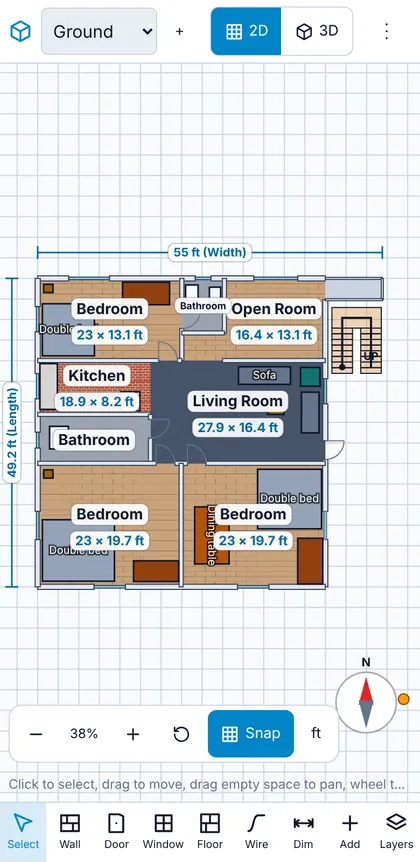
Drag walls at any angle, drop in doors, windows and furniture, and watch every room label its own size.
- Turn on the column grid to see where the structure falls.
- Draw your plot and setback lines, and walls that cross them turn red.
- Drag between two points to measure anything.

Walk through it before you build
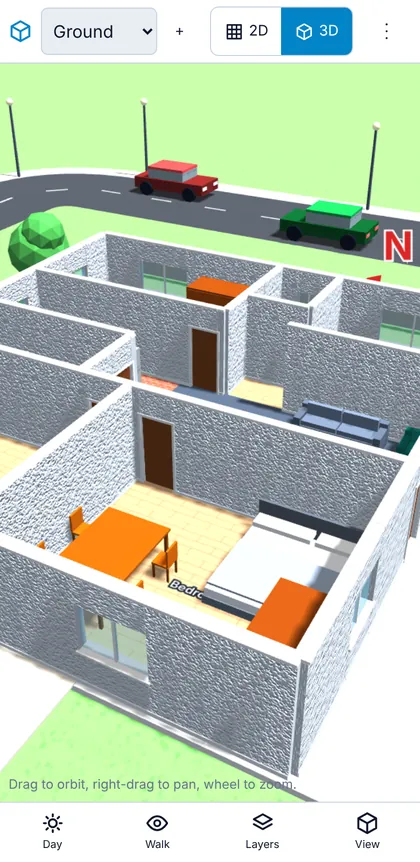
Switch to 3D, orbit the house, or walk through the rooms in first person. Rotate north and move the sun to see where shadows fall at 4 pm in June.
- Show one floor, all floors, or up to a floor.
- Flat roof with a stair cover room, hip or gable.

Plan the pipes
Place the water inlet, drainage stack, septic tank, soak pit and overhead tank, then connect them with the pipe tool.
- Water lines draw in blue, drains in brown.
- Pipe length goes straight into the cost estimate.

Know the cost in taka
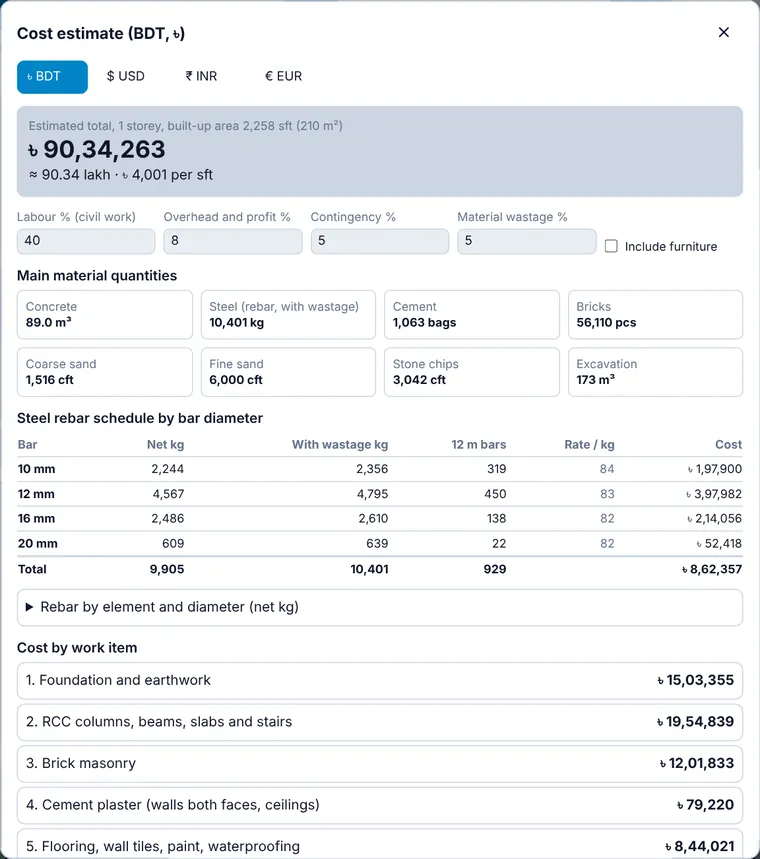
Foundation, frame, brick, finishes and services are priced from your drawing. Edit any rate, and read the steel bill split into 10, 12, 16 and 20 mm bars.
Made for the phone in your pocket
Most people in Bangladesh plan on a phone, so the planner starts there.
- Large buttons and a bottom toolbar you can reach with one thumb.
- Pinch to zoom without drawing stray walls.
- The back button closes windows instead of leaving the page.
- A 3D quality setting for slower phones.
From plot to price in four steps
No sign-up. Start with the sample house or a blank plot.
Sketch your plot and rooms
Drag walls at any angle. Rooms measure themselves.
Add doors, windows and furniture
Pick floor finishes and stack up to ten floors.
Check structure, pipes and sun
Generate columns, join pipes, move the sun.
Read the cost and export
See the total in taka and download PDF or DXF.
Learn before you build
Short guides on cost, steel, setbacks and layout, written for building in Bangladesh.
How much does it cost to build a house in Bangladesh?
A practical way to estimate construction cost per square foot in Bangladesh, what drives it, and how to build your own estimate.
Standard room sizes for Bangladeshi homes (in feet)
Comfortable size ranges for bedrooms, kitchens, bathrooms and living rooms, with notes on furniture clearances.
How to estimate cement, sand, stone chips and bricks
The simple volume method engineers use to estimate concrete materials and brick quantities, with worked numbers.
Questions
Tap a question to open it.
Is PlanCraft 3D free?
Yes. Open it in your browser and start drawing. There is no account, no sign-up and no limit on how many plans you draw.
Where are my drawings stored?
On your own phone or computer, inside your browser. Nothing is uploaded. Use Save / Load to keep a copy as a file you can send to a friend or open on another device.
How accurate is the cost estimate?
It measures your drawing and applies typical Bangladesh quantities for concrete, steel, brick and finishes. Prices move and differ by district, so edit each rate to your dealer quotes. Treat the result as a planning figure, not a quotation.
Does it replace an engineer?
No. The column grid and rebar split are planning aids. A licensed structural engineer must design the frame and foundation, and your city authority approves the plan.
Does it work on my phone?
Yes. It is built for Android first. Buttons are large, pinch zooms the plan without drawing stray walls, and the back button closes windows. On a slower phone, set 3D Quality to Low or Auto.
Can I take my plan into AutoCAD?
Yes. Export a DXF file for one floor or all floors. It carries walls, doors, windows, columns, stairs, pipes, dimensions and setback lines on separate layers.